WhatsApp Coexistence Embedded Signup: Issues, Causes and Complete Resolution Guide (2026)
WhatsApp Coexistence allows businesses to operate the WhatsApp Business App and WhatsApp Business API simultaneously using the same phone number. For growing teams, this is a major advantage. Sales representatives can respond manually from the app while automation, CRM workflows, broadcasts, and chatbots operate through the API in parallel.
This hybrid structure eliminates the need to migrate fully from the app to the API. Instead, businesses can scale gradually while keeping existing operations intact.
However, since WhatsApp Coexistence is still relatively new and governed by strict Meta policies, many businesses encounter challenges during Embedded Signup. Most issues are not technical failures but eligibility, compliance, or configuration gaps. Understanding these in advance makes onboarding significantly smoother.
Below is a structured breakdown of the most common issues, why they happen, and how to resolve them effectively when onboarding through triochat.io.
1. Phone Number Not Eligible for WhatsApp Coexistence
One of the most frequent errors appears during registration when Meta states that the phone number is not eligible to connect to the WhatsApp Business Platform. This usually confuses businesses that are actively using the number.
Meta evaluates credibility before allowing API coexistence. If the number is newly registered or lacks consistent activity history on the WhatsApp Business App, it may fail the eligibility check.
In most cases, numbers need at least seven days of active usage. However, experience shows that maintaining activity for three to four weeks significantly improves approval rates.
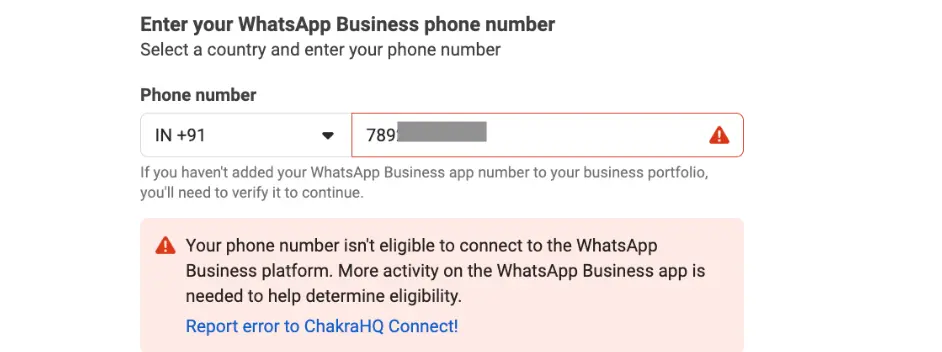
Why this happens:
- Newly registered WhatsApp Business number
- Low messaging activity
- Recent deletion and re-registration
- Previous API usage history
How to resolve it:
- Use the WhatsApp Business App actively for 7–30 days
- Avoid deleting and re-registering the number
- Build real conversation history with customers
- Contact triochat.io support for eligibility verification
Patience at this stage prevents repeated rejection cycles.
2. Unsupported Country or Region
WhatsApp Coexistence is not yet available in all regions. Meta has restricted onboarding for certain country codes due to regulatory and compliance considerations.
Businesses operating in parts of Europe, the United Kingdom, Australia, Japan, South Korea, Nigeria, the Philippines, South Africa, Turkey, and some other regions may face restrictions during setup.
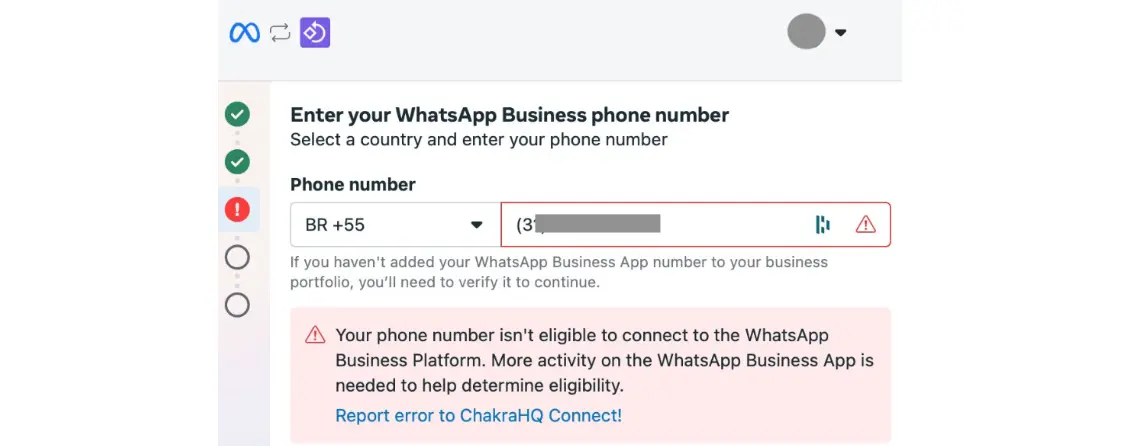
This limitation is related to Meta’s phased rollout strategy rather than a permanent denial.
What you can do:
- Use a number from supported regions such as India, United States, Brazil, Indonesia, Mexico, Singapore, or Hong Kong
- Ensure legal compliance if using a foreign number
- Monitor Meta updates for expanded availability
If changing numbers is not possible, continuing with either the app-only or API-only model may be necessary until support expands.
3. Previously Connected WhatsApp Business API Number
If your phone number was previously linked to a WhatsApp Business API account through another provider, you may encounter immediate rejection during Embedded Signup.
Meta enforces a cooldown period before allowing a number to be reused for Coexistence. This prevents misuse and protects account integrity.
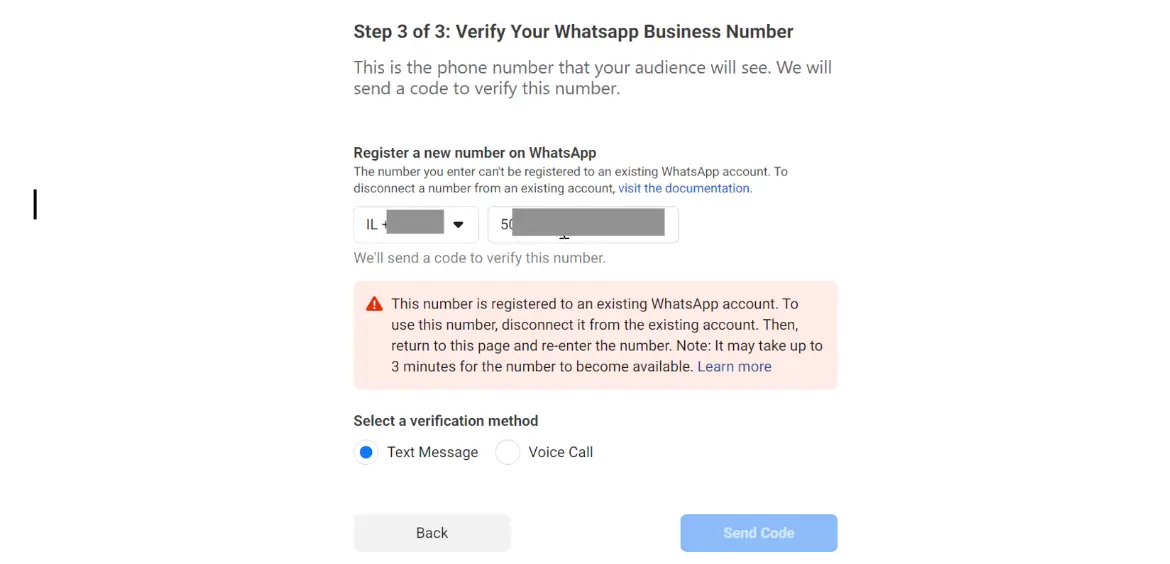
Even if you delete the previous API connection, eligibility does not reset instantly.
Proper resolution process:
- Fully delete the previous WABA account from the former provider
- Re-register the number on the WhatsApp Business App
- Use the app actively for several weeks
- Avoid attempting immediate re-integration
Rushing this process often extends the waiting period. triochat.io can assist in confirming proper deregistration before reapplying.
4. Chat Synchronization Delays
During onboarding, WhatsApp Coexistence syncs up to six months of chat history between the app and the Cloud API. Businesses often assume something is wrong if synchronization takes longer than expected.
In reality, large message volumes require time to process. Sync duration depends on server load and chat history size. In some cases, it may take up to six hours.
Interruptions such as unstable internet connections or closing the app can cause sync failures.
Best practices for smooth sync:
- Keep the WhatsApp Business App open during setup
- Maintain a stable internet connection
- Update to the latest app version
- Restart setup and rescan the QR code if sync fails
Most sync issues are temporary and resolve without escalation.
5. QR Code Scanning Issues During Embedded Signup
The Embedded Signup flow requires scanning a QR code to connect the app with the API. If the QR code does not appear or fails to scan, onboarding stops immediately.
This issue is commonly caused by outdated app versions or incorrect navigation steps inside the WhatsApp Business App.
The minimum supported version must be installed before attempting setup.
Common causes:
- Outdated WhatsApp Business App
- Incorrect navigation inside app settings
- Camera or lighting issues
- Temporary server delay
Resolution steps:
- Update the app to the latest version
- Follow the correct path inside settings for Business Platform connection
- Ensure proper lighting and camera focus
- Retry the process or contact triochat.io support
Most QR-related issues are resolved after updating the app.
6. Facebook Page and Meta Business Account Linking Issues
WhatsApp Coexistence requires a properly configured Meta Business Account and a linked Facebook Page. Many onboarding failures occur because of permission or ownership misconfigurations rather than technical problems.
The user performing the setup must have full admin access to both the Facebook Page and Business Manager account. Partial access will block the process.
Additionally, business details such as legal name, website, and address should be consistent across platforms.
To avoid linking failures:
- Ensure admin-level permissions
- Verify business information accuracy
- Create a Facebook Page if one does not exist
- Confirm Business Manager ownership of all assets
Taking time to audit permissions before onboarding reduces unnecessary delays.
7. Disabling WhatsApp Coexistence
Some businesses later decide to revert back to either the app-only model or the API-only model. There is no direct disable option from the API dashboard itself.
Disconnection must be performed within the WhatsApp Business App under Business Platform settings.
It is important not to uninstall the app, as this can trigger additional verification requirements.
Correct way to disconnect:
- Open WhatsApp Business App
- Navigate to Account → Business Platform
- Select Disconnect
This ensures a clean separation without account disruption.
8. Unsupported Companion Devices
While WhatsApp Web and WhatsApp for Mac work properly under Coexistence, certain companion apps such as Windows desktop or WearOS devices may not fully sync with the Cloud API.
Messages sent from unsupported devices may not reflect inside the API dashboard, creating confusion for teams relying on centralized monitoring.
Recommended approach:
- Re-link supported companion devices after onboarding
- Avoid using unsupported devices for business communication
- Monitor Meta updates for expanded device compatibility
Consistency in device usage ensures reliable synchronization.
9. Business Name Restrictions After Setup
Once onboarding is completed, Meta locks the business display name. This policy ensures identity consistency across platforms.
Changing the name afterward is difficult and not guaranteed.
Before starting setup:
- Verify business display name inside WhatsApp Business App
- Confirm name consistency in Meta Business Manager
- Double-check spelling and branding
Small errors at this stage can create long-term branding complications.
Final Thoughts
WhatsApp Coexistence bridges the gap between manual messaging and automation-driven scalability. It allows businesses to grow without abandoning existing workflows. However, onboarding requires careful attention to eligibility, permissions, and account history.
Most issues are temporary and solvable with proper preparation. When businesses approach setup strategically and with the right guidance, the transition becomes smooth and efficient.
triochat.io simplifies the entire process by assisting with eligibility checks, Embedded Signup guidance, technical troubleshooting, and post-onboarding optimization. Instead of navigating Meta’s ecosystem alone, businesses gain structured support and faster resolution.