Triochat Features
Messages Analytics
Copy page
Overview
Messages Analytics gives you a complete picture of all message activity inside your triochat.io workspace. This dashboard helps you understand how customers interact with your business on WhatsApp, how actively your team is responding, and whether your messages are reaching users successfully.
It displays key message metrics-Incoming, Outgoing, Sent, Delivered, Read, and Failed-using clear and simple visual charts. These charts update instantly based on the selected date range, allowing teams to monitor performance at a glance.
Incoming Messages
Incoming Messages show how many messages you receive from customers each day.
This metric helps you identify:
- Peak customer activity hours
- Days with the highest support or sales load
- Engagement patterns during campaigns or promotions
The line chart visually represents incoming message volume across the selected period, making it easier to anticipate staffing and response requirements.

Outgoing Messages
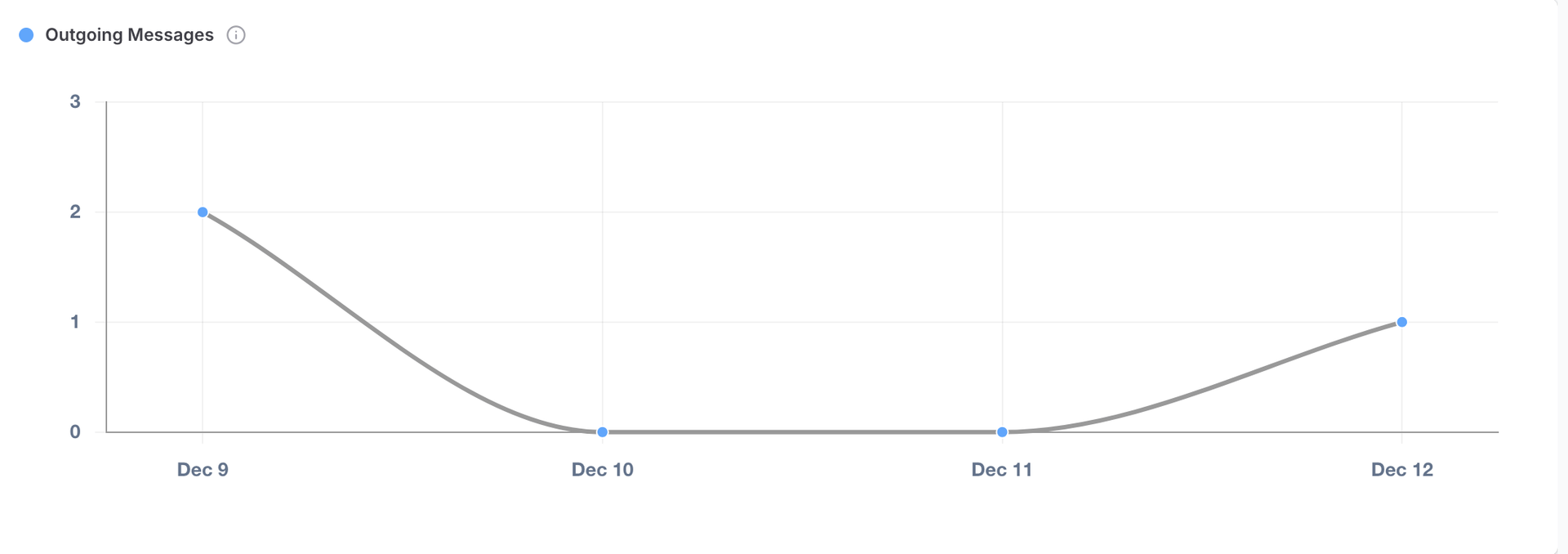
Outgoing Messages represent all messages sent from your workspace, including:
- Agent replies
- Chatbot messages
- Automated notifications
- Campaign messages
This metric reflects how actively your team is responding to customers. A steady trend indicates consistent communication, while sudden dips may highlight workflow issues or low activity periods.
Messages Sent
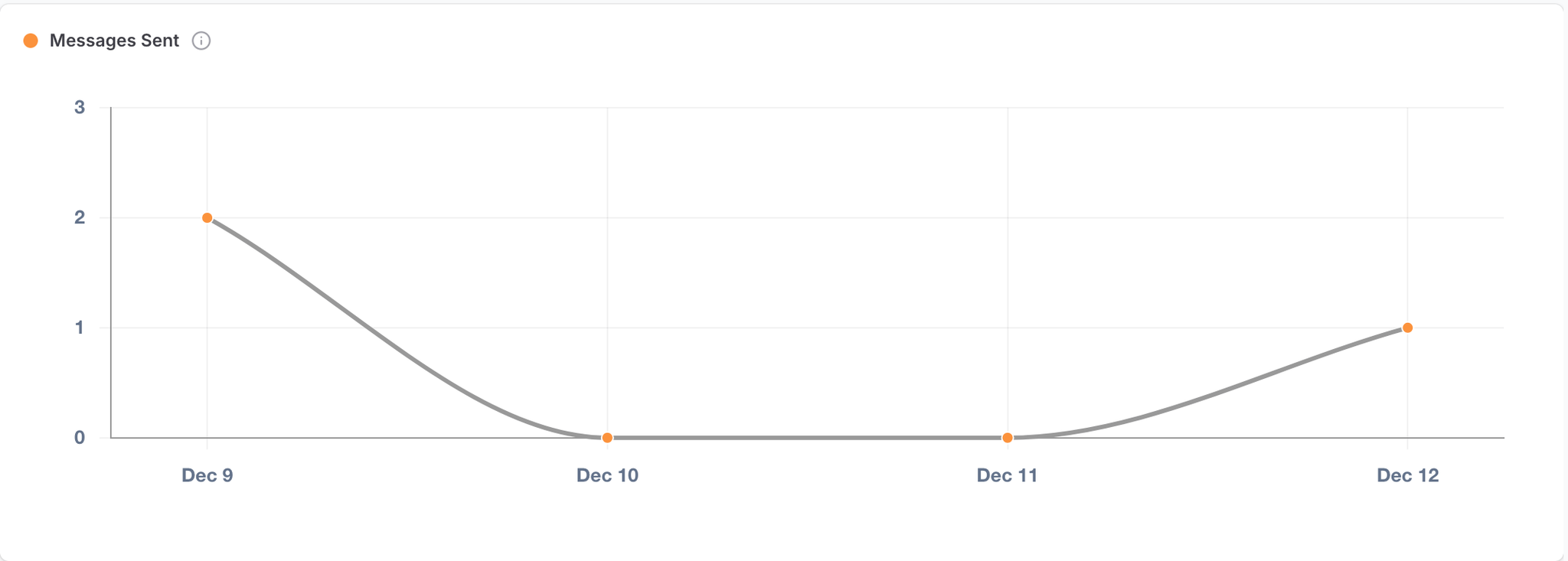
Messages Sent shows the total number of messages your workspace sent during the selected date range.
This chart helps you understand how often your business initiates communication.
If no messages were sent during a selected period, the chart will display “No data available.”
Messages Delivered
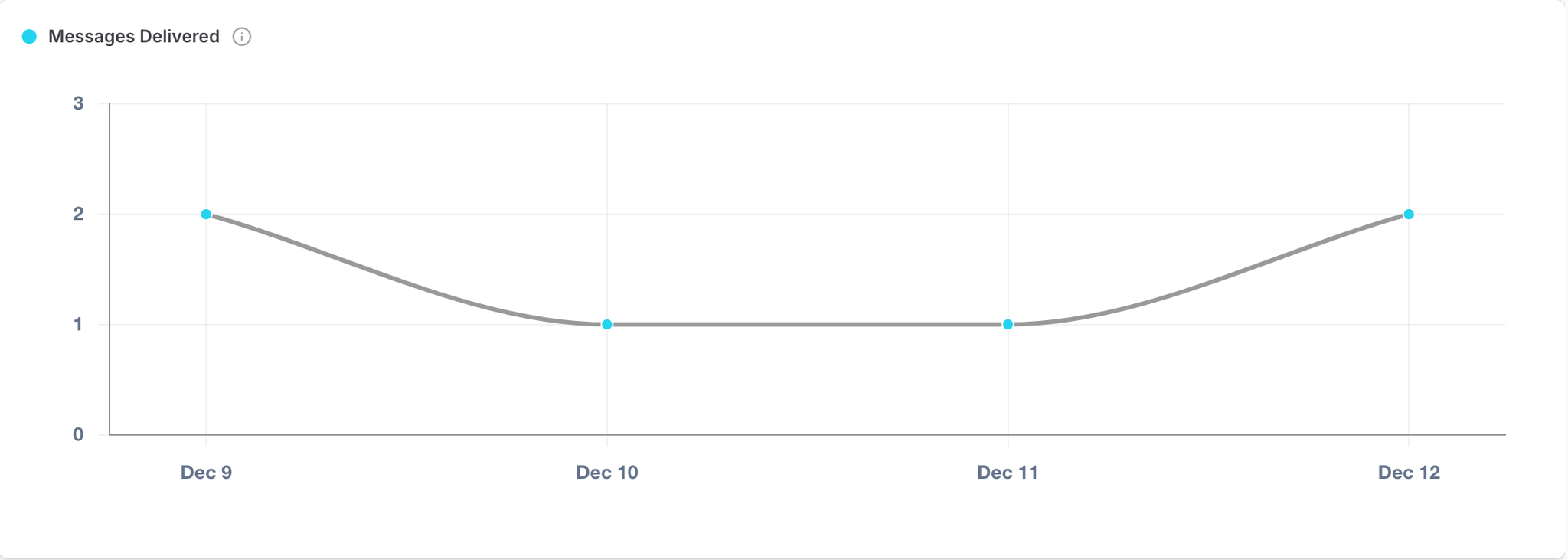
Delivered Messages show how many messages successfully reached customers’ WhatsApp inboxes.
This metric is critical for monitoring:
- Delivery quality
- Template approval performance
- WhatsApp channel reliability
- Validity of customer phone numbers
A low delivery rate may indicate template issues or invalid contact data.
Messages Read
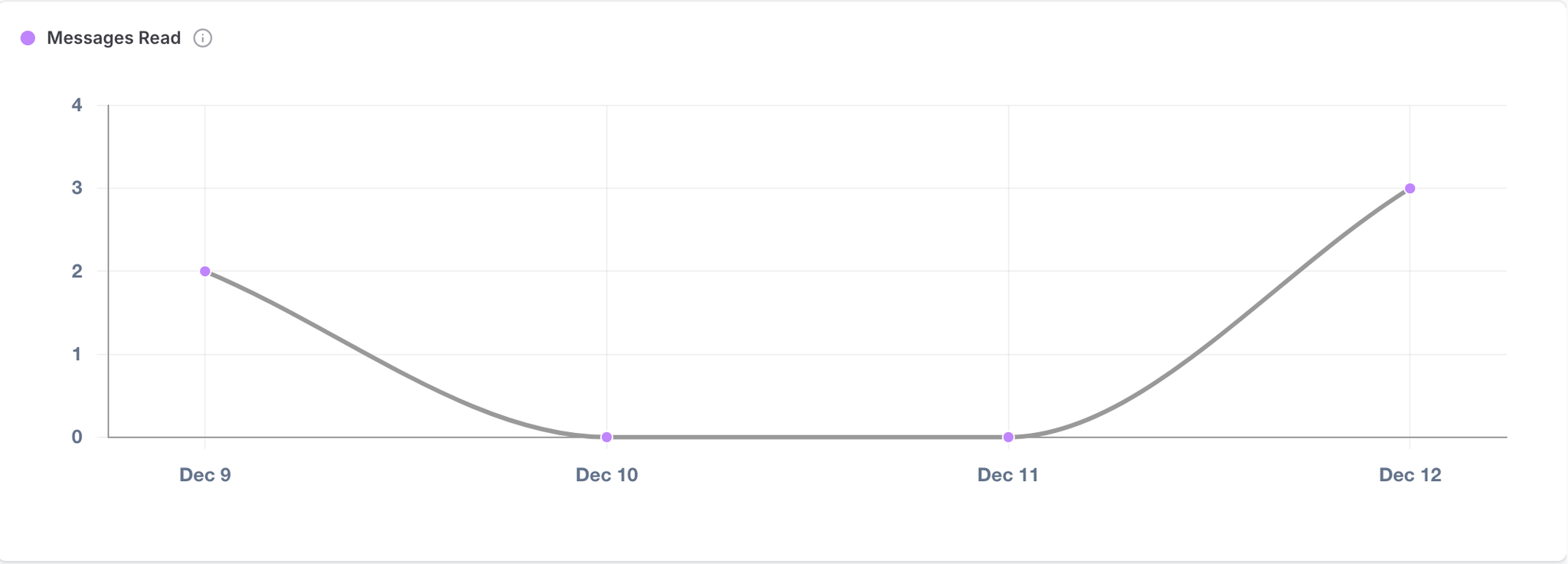
Read Messages display how many delivered messages were opened by customers.
This is one of the most important engagement indicators.
High read rates usually indicate:
- Strong audience interest
- Proper message timing
- Relevant and engaging content
Messages Failed
Failed Messages show the count of messages that were not delivered.
Common reasons include:
- Invalid phone numbers
- Customers blocking your business
- Unapproved templates
- WhatsApp rate limits
- Network or delivery issues
Monitoring failed messages helps improve delivery quality and reduce messaging errors over time.
Was this page helpful?
On this page