Whatsapp Messaging
WhatsApp Template Guide
Copy page
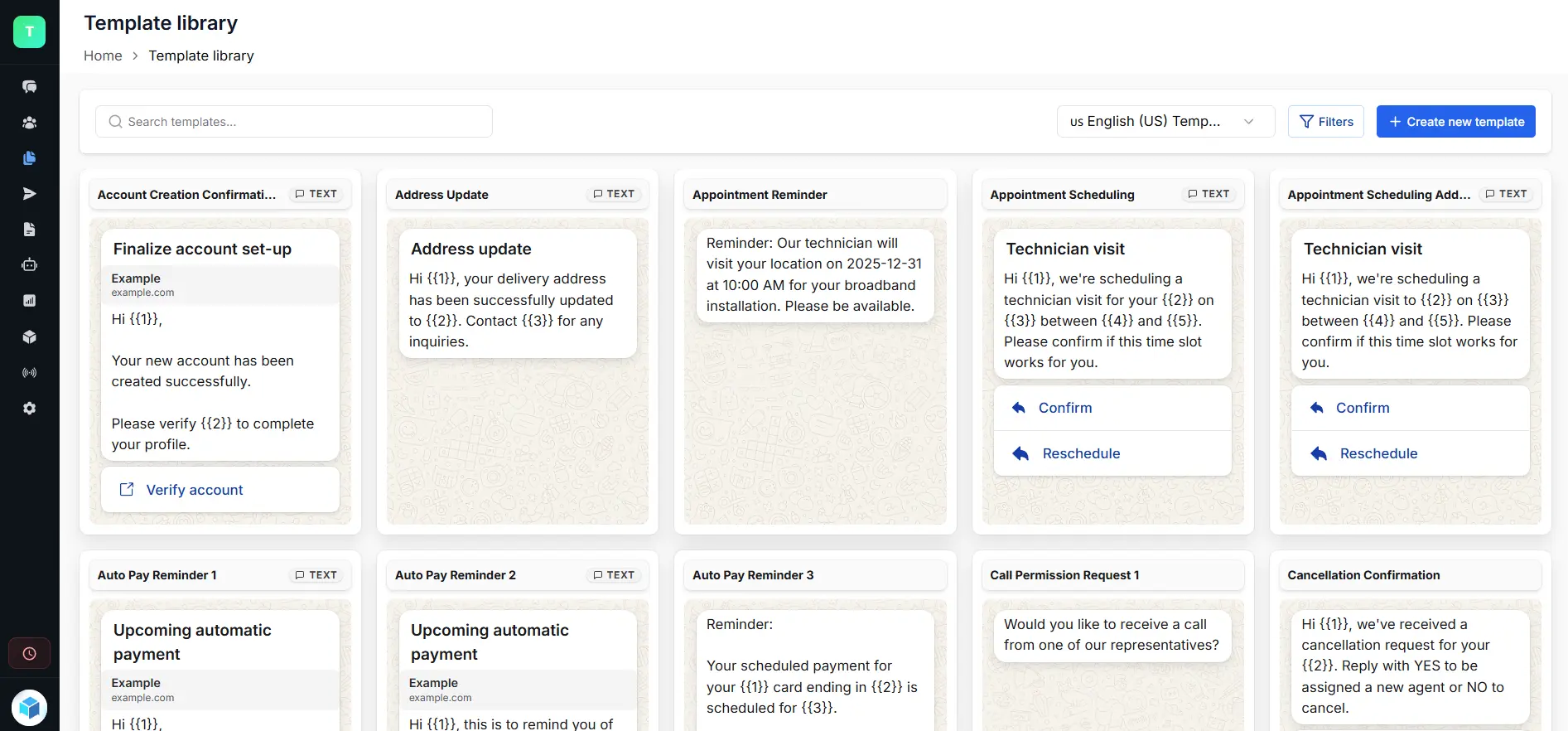
Welcome to the WhatsApp Template Guide for triochat.io. This page will help you understand what templates are, why they matter, and how to create compliant, high-quality templates that get approved quickly. Whether you’re sending order updates, offers, or OTPs, this guide will walk you through the complete process from creation to approval.
WhatsApp templates are structured, pre-approved messages that allow businesses to communicate with customers outside the 24-hour support window. They support dynamic fields like {{name}} or {{order_id}}, which helps you personalize messages at scale while staying compliant with Meta’s rules.
If you want an easier and smarter way to build templates, triochat.io offers an intuitive template builder, automated validations and real-time status updates. It ensures that every message you send meets WhatsApp’s guidelines without complications.
1. Understanding WhatsApp Templates
WhatsApp templates allow you to send consistent, personalized messages even when customers haven’t interacted recently. They are mandatory for any communication sent outside the 24-hour window.
What WhatsApp templates let you do
- Initiate conversations with customers
- Personalize messages using variables
- Send structured messages at scale
- Use interactive elements like buttons and links
- Deliver updates, reminders and offers instantly
Three main template categories
- Marketing – promotions, offers, recommendations
- Utility – reminders, order alerts, payment updates
- Authentication – OTPs and verification codes
2. How Meta Approves Templates
Every template goes through Meta’s automated review process. This ensures templates are compliant, safe and relevant to users.
What happens after submission
- Meta checks the template content and formatting
- Category selection is reviewed
- Approval usually completes within 24 hours
- You’ll see real-time updates in your dashboard
- Approved templates become Active and ready to use
- Rejected templates include a reason for correction
Important note
Meta has removed the “Allow category change” option. The category you select is final, and Meta will reject the template if it doesn’t match the content.
3. WhatsApp Template Categories
Selecting the correct category is important for approval and pricing. Here is a quick breakdown of how Meta classifies templates.
Utility Templates
- Triggered by a user action
- For transactional updates
- Must include specific details like order numbers or appointment times
- Examples: order confirmation, delivery update, payment alert
Marketing Templates
- For engagement and promotions
- Includes offers, reminders, product launches, re-engagement
- If any marketing line appears in a utility template, Meta will mark it as marketing
Authentication Templates
- OTPs, verification codes, login authentication
- No promotional or extra wording allowed
4. Common Mistakes and Rejection Reasons
Meta may reject templates for several reasons. Avoiding these mistakes helps ensure faster approvals.
Formatting issues
- Incorrect variable formatting
- Use: {{name}}
- Avoid: {{ name }}, {{name!!}}, or missing variable numbers
Policy violations
- Content involving restricted items
- Requests for sensitive personal details
- Misleading, forceful or threatening tone
- Duplicate templates with the same body
Missing sample values
Always include sample values for variables:
- {{name}} = Rahul
- {{amount}} = ₹299
- {{tracking_id}} = ABT7384
5. Template Status & Quality Ratings
triochat.io displays each template’s status so you know exactly where it stands.
Template statuses
- Pending – waiting for review
- Submitted – under review by Meta
- Recently Approved – approved and being activated
- Active – ready to use
- Rejected – needs correction based on Meta’s feedback
- In Appeal – template rejected but sent for reconsideration
- Error – incomplete or incorrect template format
- Paused – stopped due to negative user feedback
- Disabled – permanently blocked due to repeated complaints
6. Template Approval Process
Meta validates your template’s category and content before allowing you to send it.
What Meta checks
- Accuracy of the chosen category
- Clarity and helpfulness of the content
- Proper variable formatting
- Validity of links and CTAs
- Compliance with WhatsApp policies
Things to remember
- If the category is wrong, Meta may reject it instantly
- Review time can take up to 24 hours
- Only templates marked Approved/Active can be used
7. WhatsApp Template Rating
WhatsApp assigns quality ratings based on user interaction. This helps maintain a positive experience for customers.
Rating colors
- Green – high quality, low complaints
- Yellow – moderate complaints
- Red – high complaints, risk of pause
- Unknown – new template or insufficient data
What affects quality
- Blocks
- Spam reports
- High opt-out rates
- Unclear or irrelevant messaging
8. Best Practices for WhatsApp Templates
Following these practices improves template approval rates and keeps messaging clear.
Guidelines to follow
- Use simple, descriptive template names
- Avoid restricted or sensitive content
- Keep tone friendly and helpful
- Add sample values for all variables
- Use interactive elements when appropriate
- Keep variables limited to what’s necessary
- Choose categories carefully based on intent
Template name rules
- Use lowercase letters, numbers and underscores
- No spaces or random symbols
- Example: order_update_confirmation
9. Appeals & Editing Templates
If a template is rejected, you can fix it easily with triochat.io.
Your options
- Edit and resubmit with corrections
- Appeal the decision if you believe the rejection was incorrect
- Create a new version if major changes are needed
Things to keep in mind
- Edited templates return to “In Review”
- Templates can’t be used until approved
- Sample values are required for all variables
Was this page helpful?
On this page