Triochat Features
Wait Feature
Copy page
Wait
What Is the Wait Feature?
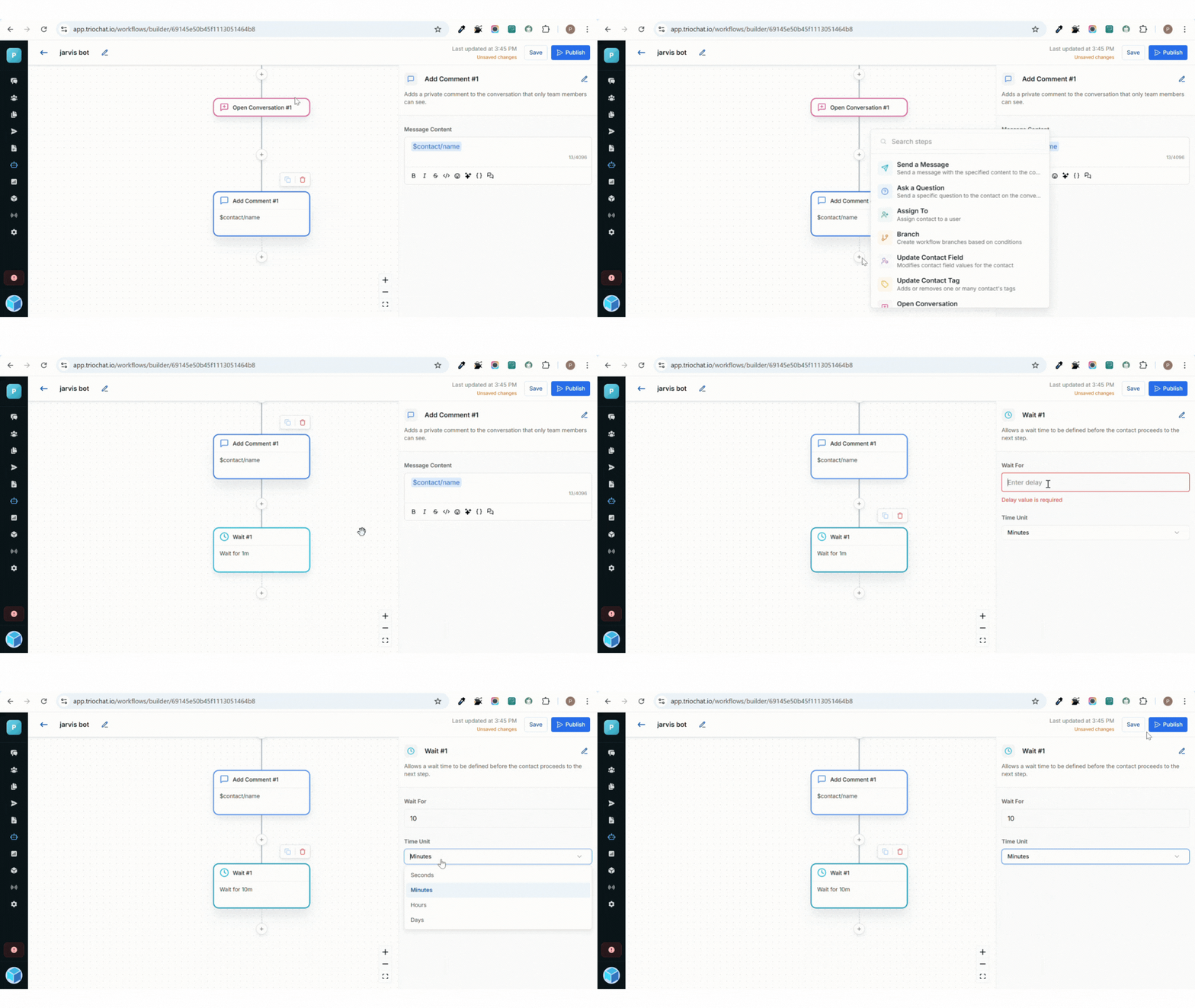
The Wait feature in triochat.io allows you to pause or delay the workflow for a specific amount of time before moving to the next step.
It helps create more natural and timed interactions, such as sending follow-up messages after a few hours or reminders after a few days.
For example, if you want to send a “thank you” message an hour after a customer’s purchase, you can easily do it using the Wait feature.
Configuration of Wait Feature
The Wait step in triochat.io is simple to configure:
Set the Wait Time
Define how long the system should pause before proceeding to the next action.
Select the Time Unit
Choose from available options such as minutes, hours, or days based on your workflow needs.
This flexibility allows you to control the timing of your chatbot’s responses and maintain the perfect flow of communication.
How It Works
When a workflow reaches the Wait step, triochat.io temporarily pauses the process for the duration you’ve set.
Once the defined time period passes, the contact automatically proceeds to the next step in the workflow, whether it’s sending a message, asking a question, or updating a field.
This delay runs automatically in the background, ensuring your chat timing feels natural without any manual input.
Suggested Use Cases
Here are a few effective ways to use the Wait feature in your workflows:
Follow-Up Messages
Wait a few hours after an interaction to send a follow-up or feedback message.
Reminder Campaigns
Pause for one or two days before sending reminders about appointments, renewals, or pending actions.
Drip Marketing
Create time gaps between multiple messages in an automated campaign to avoid overwhelming users.
Lead Nurturing
Wait for a few hours before sending additional information or offers to new leads, giving them time to engage.
Was this page helpful?
On this page